Ẅ̷̢̝́̚̕A̸̢̛̒̓̚̕L̵̨̢̛̓̚̚̚L̷̢̎̓̃̒̚̚Ÿ̛̛́̚̕ W̷A̸L̵L̷Y̸ Ẅ̷̢̝́̚̕A̸̢̛̒̓̚̕L̵̨̢̛̓̚̚̚L̷̢̎̓̃̒̚̚Ÿ̛̛́̚̕ W̷A̸L̵L̷Y̸
W̷A̸L̵L̷Y̸ Ẅ̷̢̝́̚̕A̸̢̛̒̓̚̕L̵̨̢̛̓̚̚̚L̷̢̎̓̃̒̚̚Ÿ̛̛́̚̕ W̷A̸L̵L̷Y̸
Ẅ̷̢̝́̚̕A̸̢̛̒̓̚̕L̵̨̢̛̓̚̚̚L̷̢̎̓̃̒̚̚Ÿ̛̛́̚̕ W̷A̸L̵L̷Y̸ Ẅ̷̢̝́̚̕A̸̢̛̒̓̚̕L̵̨̢̛̓̚̚̚L̷̢̎̓̃̒̚̚Ÿ̛̛́̚̕
W̷A̸L̵L̷Y̸ Ẅ̷̢̝́̚̕A̸̢̛̒̓̚̕L̵̨̢̛̓̚̚̚L̷̢̎̓̃̒̚̚Ÿ̛̛́̚̕ W̷A̸L̵L̷Y̸
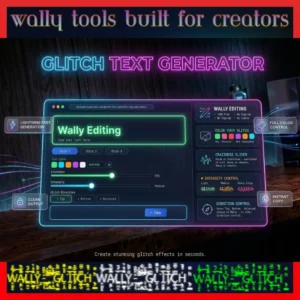
GLITCH TEXT GENERATOR
🎨 Create creepy zalgo text with custom colors 🎨
Input Text
Glitchy Font Output
🎨 Font Color (Original Text in Output)
#ffffff
⚡ Glitch Marks Intensity: 5
1 - Light
5 - Medium
10 - Heavy
🎭 Glitch Style
Craziness Level: 5
1 - Mild
15 - Moderate
30 - Maximum
Quick Style Presets
Your Stats
0
Texts Generated
0
Characters Glitched
0
Times Copied
Recent History
No history yet. Start creating!
S̵̡̛o̶͓̊m̷̬͝ȇ̴t̶̹̿h̴͎̏i̸̦̇n̷̰̕g̶͚̊ ̶̹̿W̴͎̏r̸̦̅o̷̰̕n̶͚̊g̴̺̓ Is Happening to This Text. You're Welcome.
You’ve definitely seen it. Somewhere on a Discord server, buried in a horror subreddit, attached to a gaming profile, or sitting in someone’s TikTok bio — text that looks genuinely broken. Letters drowning in weird floating marks. Words that seem corrupted, haunted, barely holding together. Characters reaching above and below the lines as if something is pulling them apart.
That’s a glitch text. And if you’ve been wondering how to make it — this is your tool.
Wally Glitch Text Generator converts any regular text into free corrupted glitch text using Unicode combining characters. The whole process takes under thirty seconds. Type what you want, dial in your settings, click once to copy, paste it anywhere. Discord, Instagram, TikTok, YouTube, Roblox, Minecraft, Twitter, Reddit, WhatsApp, Steam, Canva, Snapchat, Twitch, Wattpad, AO3, Tumblr, Xbox Live, Facebook, LinkedIn — wherever there’s a text field and Unicode support, your glitch text goes.
What makes this generator different from every other free glitch text tool online? Control. Real control. Not a single slider and a “randomize” button. Color picker with hex code input and a screen grabber. Separate craziness and intensity sliders. Glitch direction settings. Automatic history with download. Multiple styles. One-click copy with instant live preview.
Nobody else gives you this for free. We checked — repeatedly.
🔍 What Is Glitch Text, Really?
Glitch text is regular text that’s been layered with special Unicode characters until it looks visually corrupted — broken, distorted, and deliberately wrong. The aesthetic borrows from real-world digital failure: the noise of a dying GPU, the artifacts on a corrupted video file, the garbled characters of a botched data transfer. Glitch text takes that visual language and turns it into something you can type, copy, and use anywhere.
The characters doing all the work are called diacritics — Unicode combining characters that don’t stand alone but instead attach to whatever character precedes them. You know these from everyday language: the accent in café, the tilde in señor, the umlaut in über. Those are single diacritics added deliberately for pronunciation.
Now imagine stacking forty, sixty, or two hundred of these onto a single letter.
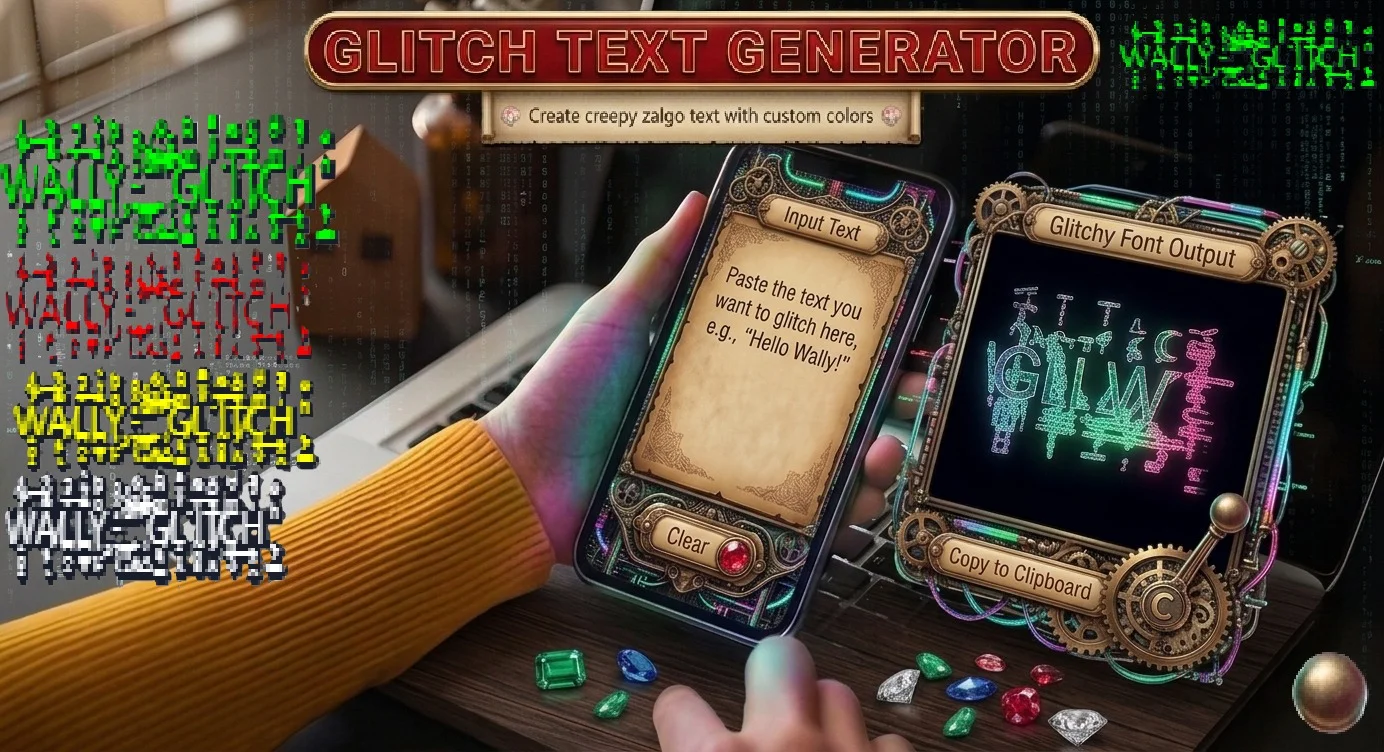
The letter is still there underneath — the technology is just text — but it’s buried under so many floating marks above and below it that the whole thing looks corrupted beyond recognition. That’s the mechanism. Unicode uses its own rules against itself, in the best possible way.
Because the output is standard Unicode text, it pastes into virtually every digital platform on earth without any special requirements. No image upload. No custom font. No plugin. Just characters that every device in the world can render.
⚡ Glitch Text vs Zalgo Text — The Real Distinction
These terms get swapped constantly online and honestly, the overlap is real enough that the debate isn’t worth much energy. But the distinction does exist and it’s useful to know.
Glitch text is the umbrella term. Any text that looks digitally distorted, broken, or corrupted falls under it. The visual language is technology malfunctioning — screens failing, data corrupting, systems crashing. It can range from subtle to extreme and it covers multiple specific styles.
Zalgo text is a specific variant within glitch text. The name traces back to an internet horror meme from 2004 created by Dave Kelly — a creature called Zalgo that appeared in corrupted, wrongness-drenched versions of normal internet images. Zalgo text carries that same energy: characters that bleed vertically, marks stacking so far above and below the baseline that the text looks genuinely possessed or infected.
Z̷̢̛͕̼̫͎a̸̷̡̛͚̬̪͇̘͎̓̈́l̵̡̨̢͓̰̼̬͚̖g̵̷̴̰̜̹̚o̶̸̹̺̿̓͝ — that’s what we’re talking about. Letters that have had something done to them.
Glitch text as a style category includes Zalgo but isn’t limited to it. Controlled, sharp digital-error aesthetics are also glitch text. Subtle corrupted styling that keeps legibility is also glitch text. Our generator covers everything from light corruption that barely registers to full maximum-Zalgo chaos where the original letter shapes are almost gone — depending entirely on how you set the controls.
🧠 How Unicode Makes All of This Work
You don’t need this to use the tool. But for anyone curious about what’s technically happening when normal letters become corrupted-looking, here’s the plain version.
Unicode is the international standard that governs how characters appear across every device, operating system, and platform on earth. Before it existed, text encoded on one system became garbled on another. Unicode solved that by assigning a unique identifier to every character in every writing system — over 140,000 characters in total.
Within those 140,000 characters is a category called combining characters. These are diacritics that modify the character before them rather than occupying their own position in a line. A single combining character added to a letter might change its pronunciation or add a subtle mark.
Stack dozens onto the same letter and it looks broken. Stack two hundred and it looks possessed.
The crucial technical point is that the output is pure text. Standard Unicode characters. Not embedded images, not custom fonts requiring installation, not platform-specific code. Just text that every Unicode-capable device renders using its own system font — which is why glitch text looks the same (or close to it) across every platform, every device, every operating system.
That universality is what makes the free online glitch text generator copy and paste workflow so practical. Create it here, paste it anywhere, it works.
🛠️ How Wally’s Glitch Text Generator Works
The core workflow is fast. Type or paste text into the input box. The generator applies Unicode combining character stacking based on your current settings. The output appears in real time — no clicking Generate, no waiting. Adjust any slider and the result updates immediately. When you find the look you want, click the output once. It copies to your clipboard automatically. Then paste it wherever you need it.
The difference between Wally’s generator and the typical free glitch text generator online is the depth of control. Most tools give you one output with maybe a single intensity dial. Wally gives you a full creative dashboard — color, craziness, intensity, direction, multiple styles, history — and every control works in combination with every other.
The result is that the number of distinct visual outcomes you can create here is genuinely large. Not just “more glitch” or “less glitch” — different kinds of glitch, in different colors, with corruption concentrated in different locations, saved automatically so you can compare everything you tried.
✨ Features That Hit Wally Different
🎨 Color Your Glitch Text — The Feature Nobody Else Has
Search for free online glitch text generators and spend twenty minutes trying them. You’ll find one thing in common across virtually all of them: the output is always black. That’s the only option. Black corrupted text on a white background.
Wally’s Glitch Text Generator is the only free tool online that lets you add actual color to glitch text output.
There are three ways to choose a color, and each serves a different workflow:
Preset Palette — Pre-selected colors available in a single click. Useful when you want something straightforward — red, blue, green, purple — without any extra steps. Good for quick decisions when you have a general color direction but don’t need exact precision.
Hex Code Input — Type any hex color code directly into the field. If you’re a designer working within a brand system, you already know your hex codes. Type #FF0000 for red, #00FF41 for that classic hacker terminal green, #7B2FBE for deep purple — any specific color in the standard hexadecimal system. Exact, precise, professional.
Screen Color Picker — This one is genuinely impressive functionality. Click the picker tool, then click anywhere on your screen — any website, any image, any design file, any photograph currently visible. The picker reads the exact pixel color at that point and applies it to your glitch text instantly. Want the exact shade of red from a horror movie poster you have open? Grab it. Need to match the specific neon blue from a cyberpunk wallpaper? Grab that too. This is a capability usually found in professional design software, not free online text generators.
The color carries through when you copy and paste. On platforms that support colored Unicode text — most major social media apps and platforms do — your glitch text appears in your chosen color for everyone who reads it. Not just black corruption. Colored glitch text that was designed, not just generated.
No other free glitch generator offers this. We’ve checked consistently and that remains true.
🌀 Craziness Level — The Character of the Corruption
The Craziness slider controls the style of the distortion, not the amount. Think of it as changing how the corruption expresses itself rather than how much corruption there is.
At low Craziness, the glitch effect looks intentional and sharp. The letters are distorted but in a controlled, almost architectural way. Like deliberate design damage rather than an accident. This look fits cyberpunk aesthetics well — the hacker glitch that says the person doing it knows exactly what they’re doing. Cool rather than chaotic.
At high Craziness, the output becomes genuinely wild and unpredictable. Characters transform in unexpected ways. The corruption feels organic and unstable, like something actively happening rather than something applied. This is the creepypasta territory — horror usernames, Zalgo story titles, text that makes people look twice and feel slightly wrong about what they’re seeing.
The middle of the range is where most users settle after experimenting, but every point on the slider produces something meaningfully distinct from adjacent settings.
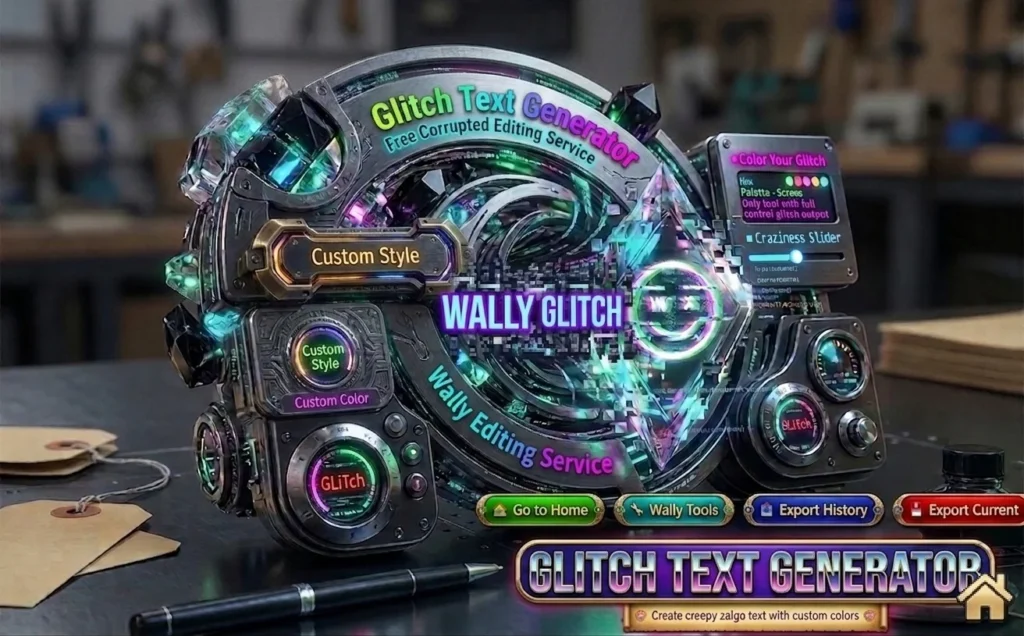
💥 Intensity Slider — How Much Corruption Gets Applied
While Craziness changes the character, Intensity changes the density. More combining characters stacked per letter means more visual corruption. Having these as separate controls creates combinations no basic glitch tool can produce.
Light Intensity — G̴l̴i̴t̴c̴h̴
Subtle marks at the character edges. The text is completely readable — anyone looking at it can parse the letters without effort. The corruption reads as texture rather than damage. Good for usernames, bios, and any context where you want the glitch aesthetic without sacrificing legibility. Light corrupted glitch text is the everyday-wearable version.
Medium Intensity — G̵̡̛͎l̶͓̈́i̷̬͝t̴̰̚c̶̹̿h̴͎̏
This is where most glitch text lives. Clearly distorted, unmistakably corrupted, but still readable to anyone who tries. The marks extend noticeably above and below. The effect is immediately recognizable as intentional styling. Discord gaming servers, horror Instagram bios, TikTok creator usernames — medium intensity is the standard.
Heavy Intensity — G̶̨̧̢̨̛̛͓͈͉̪̟̫͎̻l̵̡̨̢͓̰̼̬͚̖̟͝i̸̷̡̛͚̬̝̪͇̘̻͎̓̈́̚͝t̵̷̴̰̜̦̹̚͝c̶̸̹̺̿̓͝h̴̸͎̏̇
Maximum Zalgo. The letter forms are barely visible under the stacked combining characters. Individual letters become almost indistinguishable. The text doesn’t just look corrupted — it looks infected, possessed, fundamentally wrong. Horror story titles. Creepypasta character names. Extreme glitchcore design. Situations where the goal is a visceral visual reaction rather than readable communication.
↕️ Glitch Direction — Where the Corruption Lives
This control doesn’t exist on any other free glitch text generator online. Wally’s generator lets you choose whether the combining character corruption concentrates above your text, below it, or spreads evenly across both positions.
Heavy Top — Marks load predominantly above the baseline. The corruption descends from above. Visually, this reads as ominous — something pressing down, something looming, something falling onto the text from a higher place. Works well for horror titles designed to feel threatening, for usernames that should feel dominant, for any context where descent and weight are the intended emotional effect.
Heavy Bottom — Marks extend predominantly below the baseline. The corruption rises from underneath. Visually, this reads as unstable — like the text is melting, sinking, or something is reaching up through it from below. Different horror energy from Heavy Top. More unsettling than threatening. The text looks like it might fall through the floor.
Balanced — Combining characters spread evenly above and below. The text is surrounded on both sides by corruption. This is the classic, symmetric Zalgo effect — the look most people picture when they think of glitch or Zalgo text. Versatile across the widest range of applications.
These produce genuinely different emotional registers. A horror writer choosing between them is making a tone decision, not a cosmetic one.
📜 Automatic History — Never Lose a Version You Liked
Here’s a feature that solves real frustration. You’ve been experimenting — adjusting sliders, trying combinations, landing on something that looks exactly right. Then you change one setting to see what happens and suddenly that version is gone. You can’t quite remember where the sliders were. You can’t get it back.
Wally’s generator saves every single variation you create automatically throughout your session. All of them. You can scroll back through your complete history, compare variations side by side, and copy any earlier version with one click. You can also download your entire session history as a file — useful when you’re building a project that needs multiple glitch text variations at different intensity levels or in different colors.
Other free tools give you one output. If you don’t copy it immediately, it’s gone. Wally’s generator treats your creative process as something worth keeping.
⚡ Live Preview, One-Click Copy, No Friction
Every control change updates the output in real time. Move any slider and the glitched text updates immediately — no clicking Generate, no waiting for a new result to load. The feedback loop is instant, which makes experimentation fast and natural.
Copying is a single click anywhere on the output text. No selecting the text manually. No right-clicking and hunting through a context menu. No keyboard shortcut to remember. Click the result once and it’s in your clipboard. That’s the full copy process.
Completely Free — No Exceptions, No Hidden Tiers
No character limits. No daily generation caps. No account or email required. No premium tier with features locked behind a paywall. The full tool — color picker, all sliders, automatic history, multiple styles — is available to everyone for free. That’s not a promotional statement. It’s just how the tool works.
🏆 Unbeatable Key Features at a Glance
✅ 100% free — no hidden costs, no premium tier, no conditions
✅ One-click copy — no selecting or highlighting needed, auto-copies instantly
✅ No sign-up, no email, no account of any kind required
✅ No character limit — type a word or paste an entire passage
✅ Color your glitch text — hex, palette, or screen picker. Only on Wally
✅ Craziness slider — control style from sharp and controlled to wild and unpredictable
✅ Intensity slider — control corruption density from light subtle marks to full heavy Zalgo
✅ Glitch direction control — Heavy Top, Heavy Bottom, or Balanced spread — unique to Wally
✅ Automatic history with full session download — never lose a version you liked
✅ Multiple glitch styles — spiky, dense, scattered, and more
✅ Instant live preview — every setting change updates the output in real time
✅ Works on every platform that supports Unicode text
✅ No app to install — runs entirely in your browser on any device
✅ Works on mobile, tablet, and desktop equally well
📋 Step-by-Step: How to Make Glitch Text
Step 1 — Type or Paste Your Text
The input field accepts anything. A single letter. Your username. A sentence. An entire story excerpt. There’s no character limit. If you want to explore the tool without specific text in mind, type your name or a short word — the effect on something familiar gives you an immediate sense of how the controls work.
Step 2 — Set Your Color First (Optional)
If you want colored output, set the color before touching the other controls. This way every variation you generate during experimentation already shows the right color. Use the swatches for a quick pick, the hex input for exact specification, or the screen picker to grab a color from anywhere currently visible on your screen.
Step 3 — Find Your Craziness Level
Start with the Craziness slider in the middle and move it toward both extremes to understand the range. Low end: sharp, controlled, deliberate. High end: wild, unpredictable, genuinely chaotic. Most users settle somewhere in the middle-to-upper range but the full spectrum is available.
Step 4 — Set Your Intensity
Decide what you need: readable-but-corrupted (light), standard glitch (medium), or full Zalgo chaos (heavy). For usernames and bios where someone needs to actually read your name — light to medium. For horror titles and creepypasta content — medium to heavy. For maximum visual impact where legibility is secondary — heavy all the way.
Step 5 — Choose Your Direction
Try all three: Heavy Top, Heavy Bottom, Balanced. The emotional register of each is genuinely different and the right choice depends on what the text is for. Balanced works for most purposes. Heavy Top and Heavy Bottom serve specific creative needs.
Step 6 — Explore Your History
Generated several variations? Scroll back through your session history. An earlier version might look better than the current one once you compare them. History removes the pressure of getting it right immediately — experiment freely and compare later.
Step 7 — Click Once to Copy, Paste Anywhere
Found your glitch text? Click the output once. Copied. Now paste it into Discord, Instagram bio, TikTok username, YouTube channel name, Twitter display name, Roblox profile, Minecraft sign, Reddit username, WhatsApp status, Snapchat bio, Canva text box, Steam display name, Twitch about section, Wattpad story title, Tumblr blog name, AO3 fic title, or any other platform with standard Unicode text support.
🌍 Where Glitch Text Gets Used — Every Platform, Every Audience
Discord — The Home Platform for Glitch Text
Discord is probably where more glitch text exists than anywhere else online. Server names with corrupted, menacing presentation. Channel names styled for horror or cyberpunk themes. Usernames designed to look threatening, unsettling, or simply dramatically different from every other name in a server list.
The glitch text generator for Discord is one of the most searched-for specific applications of this tool. Discord fully supports Unicode combining characters across every text field on the platform — display names, server names, channel names, status messages, post text, everything. What you paste renders correctly for everyone in your server.
Gaming communities drive a huge portion of Discord glitch text use. A corrupted username in a competitive gaming server reads as threatening in a culturally specific way that serves those spaces. Horror servers use glitch styling for almost every visual element. Cyberpunk, sci-fi, and dystopian roleplay servers build entire aesthetic identities around glitch and Zalgo text throughout their server structure.
Instagram — Visual Identity Through Corrupted Text
Instagram bio space is limited. Every character either earns its place or wastes it. A bio written in glitch text communicates an aesthetic identity in a way that a cleverly written normal bio simply can’t — it shows before it tells. Horror accounts, alternative art pages, dark aesthetic creators, gaming channels — these communities have used glitch text in bios and captions for years because the visual effect is immediate.
Captions on dark art posts, horror content, and creepypasta-inspired images carry glitch text naturally because the styled text and the content reinforce each other. The color control is especially relevant on Instagram where palette consistency defines a professional-looking feed — matching glitch text to your specific color system makes it a designed element rather than a dropped-in effect.
TikTok — Genre Signaling and Creator Identity
A corrupted username on a horror TikTok account signals genre before anyone watches a second of content. TikTok creators building horror, creepypasta, dark storytelling, and paranormal content use glitch text bios and usernames because the aesthetic communicates intention without requiring explanation. Cyberpunk and hacker-aesthetic creators use it because it reads as digital and technical in a way that supports their visual world. Gaming creators use it for the same intimidation and distinctiveness purposes as on Discord.
TikTok bio fields support Unicode fully and glitch text renders correctly on all devices. The character limit on bios means keeping glitch text short and high-impact works better than longer corrupted passages.
YouTube — Standing Out in a Text-Heavy Feed
Channel names in glitch or Zalgo text look visually distinct in search results and subscription feeds. Horror channels, gaming channels, cyberpunk and tech content creators, alternative music channels — any channel where the content has a dark or edgy identity benefits from a name that looks different from standard formatted text.
Video titles in glitch text stand out in recommendation feeds. A horror video with a corrupted title grabs attention from a list of normal-looking titles. Community posts and comments in glitch text consistently draw more attention simply by being visually unusual in an environment where text is typically plain.
Roblox — Display Names and Gaming Identity
The free glitch text generator for Roblox is among the most common specific search terms that brings users to this tool. Roblox’s community is enormous and username styling is a meaningful part of the platform’s identity culture. Roblox supports Unicode in display names, bios, and group names. Use light-to-medium intensity — very heavy Zalgo occasionally gets filtered by platform moderation. Testing with a moderate setting before committing to a heavy style is the practical approach.
Minecraft — Signs, Books, Servers
Signs in Minecraft accept Unicode combining characters, making glitch text viable for horror map building, haunted house game environments, and atmospheric storytelling within the game world. Imagine navigating a Minecraft horror map where every sign is written in Zalgo text — that environmental detail creates a genuine atmosphere that normal text can’t. Book and quill items accept Unicode text. Server names and MOTDs support glitch text on most server software. Java edition has broader Unicode support than Bedrock; test with a specific phrase before committing to a full design across a large build.
Twitter/X, Reddit, Facebook — Across the Major Platforms
Twitter display names and bios in glitch text are common in horror, gaming, and alternative culture communities. Character limits mean short punchy glitch phrases work better than long passages.
Reddit usernames in glitch text stand out in horror communities — r/nosleep, r/creepypasta, r/horror — where Zalgo text has functioned as a genre signal for over a decade. Post titles in corrupted text communicate tone before anyone reads the content.
Facebook supports Unicode in posts, group names, and event descriptions. Most effective for Halloween event promotion, alternative music community pages, and horror group naming.
WhatsApp, Snapchat, Steam, Twitch, Xbox Live
WhatsApp status messages and chat text support glitch characters. Uncommon enough on the platform that it immediately stands out. Snapchat usernames and story text work similarly.
Steam display names in heavy glitch text are standard in competitive gaming circles — the visual intimidation signal is well-established in that community. Twitch channel descriptions and about sections support Unicode. Xbox Live gamertags within the platform’s character support serve the same purpose as Steam.
Wattpad, AO3, Tumblr — Creative Writing and Fan Communities
These three platforms have some of the deepest relationships with Zalgo and glitch text among all online spaces.
A Wattpad story title written in corrupted Zalgo text signals horror or psychological thriller before anyone reads the description. Chapter titles in glitch text build dread progressively through a narrative. AO3 fic authors use glitch text for titles signaling unreliable narrator or psychological horror content, and occasionally within fic text itself when the narrative calls for it.
Tumblr’s aesthetic community has used glitch text for over a decade with genuine sophistication — understanding that intensity level matters for different contexts rather than defaulting to maximum chaos everywhere. Blog names, post text, reblog commentary, and ask responses all support glitch Unicode fully.
Canva — Design Project Integration
Canva’s text input accepts Unicode characters, so glitch text from the generator pastes directly into any Canva text box and works exactly like any other text element. Create the glitch text here, use the hex code input or screen picker to match it precisely to your Canva design’s color palette, copy once, paste into your project.
This workflow is genuinely useful for Halloween poster design, cyberpunk event graphics, horror promotional material, dystopian-themed designs, dark art project titles, and any Canva work where corrupted text adds to the visual concept. The generator’s controls let you produce a result that fits your design intentionally rather than accepting whatever a basic one-output tool happens to produce.
🎭 The Aesthetic Subcultures Behind Glitch Text
Glitch text is a visual language that belongs to several distinct internet aesthetic communities. Understanding those communities is useful for knowing which controls serve which purposes.
Glitchcore
An internet aesthetic built entirely around intentional digital malfunction. Corrupted video, VHS artifacts, broken pixel art, distorted audio, and glitch text — all treated as features rather than flaws. The color palette typically involves neon colors on dark backgrounds or white-on-black. Medium-to-high craziness and intensity works here. The screen color picker is essential for getting the specific neon greens, cyans, and hot pinks that define the aesthetic.
Weirdcore
Surrealist, dreamlike, unsettling in an ambiguous way rather than overtly scary. Weirdcore is about things being slightly wrong rather than frightening — unease without clear threat. Light glitch intensity fits this aesthetic better than heavy Zalgo because the goal is to make text feel strange, not possessed. Just enough corruption to register as wrong, not enough to be horror-coded.
Cyberpunk
Hacker culture, neon dystopia, corporate surveillance, technological decay. Glitch text in this world represents the system breaking down — the digital surface cracking to show what’s underneath. Medium craziness with light-to-medium intensity produces the controlled hacker glitch look that fits cyberpunk without going full horror. The color picker is essential: terminal green (#00FF41), electric blue (#0080FF), neon cyan (#00FFFF), hot pink (#FF00AA) — specific palette choices define whether something reads as cyberpunk.
Vaporwave
Retro aesthetic filtered through digital nostalgia and VHS corruption. Glitch text in vaporwave tends to be used sparingly — one element among several aesthetic choices rather than the dominant visual. Light corruption that evokes degraded tape rather than active horror.
🎯 Deep Dive: Who Uses It and How
Horror Writers and Creepypasta Creators
Horror writing online has visual language that operates before the words do. A story title in Zalgo text communicates genre before anyone reads the description. This has been true on Tumblr, Wattpad, Reddit, and every horror community for over a decade.
For story titles that should feel genuinely threatening: high craziness, heavy intensity, Heavy Top direction. For unsettling-but-not-overwhelming titles: medium craziness, medium intensity, Balanced. Color matters more than most horror writers realize — deep red glitch text carries blood-and-warning energy. White on dark backgrounds creates a cold, ghostly unease. The screen picker lets you grab exactly the right shade from a horror reference image.
For creepypasta specifically, Zalgo text is the genre’s own visual vernacular. Readers respond to it the way genre-coded book cover design works in publishing — before any content is consumed, the signal is already sent.
Gamers and Gaming Content Creators
Competitive gaming culture treats corrupted usernames as intimidation signals. A glitch text display name says something specific — unpredictable, experienced, not to be approached casually. Light-to-medium intensity works better than heavy Zalgo for usernames because legibility matters for recognition. Distinctive and slightly threatening is the goal, not illegible.
Discord gaming servers render glitch text consistently. Steam allows significant display name flexibility. Roblox works at light-to-medium level. Xbox Live gamertag styling works within their character support.
Gaming content creators building across YouTube, TikTok, and Twitch use glitch text for channel names and bios as visual identity. Consistency between a corrupted YouTube channel name, a matching Discord server name, and a matching TikTok username builds recognizable brand identity across platforms.
Graphic Designers and Visual Artists
The Canva workflow is most common: create glitch text, match color to design palette using hex input or screen picker, copy, paste into the text field. From there it works like any other text element.
For Halloween poster design, glitch text for the event name is one of the most effective choices available without requiring custom fonts. For cyberpunk projects, specifying terminal green or neon palette colors exactly is what separates intentional design from generic application. For dystopian sci-fi and comic work, glitch text in environmental signage — signs, screens, interface displays in panels — adds visual authenticity.
Musicians Promoting Dark or Alternative Music
Metal, industrial, darkwave, black metal, deathcore — visual identity in dark music should match the sonic content. Glitch text in artist names, album promotion, social media identity, and show announcements extends the dark aesthetic from the music into every digital touchpoint. The color control is directly useful here — musicians with established visual brand colors can match their glitch text exactly for consistent presentation across every platform.
Marketers Targeting Alternative Audiences
Marketers working with alternative, underground, or subculture-adjacent brands use glitch text as a signal of authentic cultural familiarity. Halloween events, horror-themed products, gaming brands, cyberpunk-aesthetic companies, alternative music platforms — audiences in these spaces respond to visual language that speaks their aesthetic. A glitch text headline on a promotional post reads as culturally literate to those communities in a way that standard formatting doesn’t.
💡 Design Tips — When to Use It and When to Leave It Alone
Use it in short text. A single word, a name, a three-word title. Striking on a short phrase. Unreadable and exhausting in a paragraph.
Use it where the aesthetic fits. Horror, gaming, cyberpunk, Halloween, dark alternative culture, sci-fi dystopian content, glitchcore, weirdcore — these contexts make glitch text natural. In unrelated contexts it creates tonal confusion.
Match intensity to context. Small-format text like usernames benefits from medium intensity so corruption reads clearly at small sizes. Large-format poster headlines can work at lighter intensity.
Give it visual breathing room. Glitch text works best against clean backgrounds paired with non-styled body text. It needs contrast to register as distinctive.
Use the color control. Black glitch text is fine. Glitch text matching your specific palette looks designed. Terminal green for cyberpunk. Deep red for horror. Brand colors for creators with established identities.
Skip it in professional contexts. Resumes, client work, business communications — the cultural coding is firmly alternative, not professional.
Don’t use it for body text. Readability collapses at higher intensities for anything beyond a sentence. Use glitch text as a headline or accent element, not for everything.
🔗 Explore the Full Wally Tool Kit — Free Tools That Work Together
The Glitch Text Generator is one part of a broader free toolkit at Wally Editing Service. Every tool here is browser-based, completely free, requires zero sign-up, and works on any device. Several of them combine with the Glitch Text Generator in ways that produce results neither tool could achieve independently. Here’s what’s available and how each one connects.
✨ Fancy Text Generator
Two hundred-plus unique Unicode text styles generated instantly. Run your favorites through the Glitch Text Generator afterward and the result is layered visual complexity that no single-tool approach can produce. Decorative Unicode characters from Fancy Text combined with glitch corruption creates bios and usernames that feel uniquely styled rather than just corrupted — the combination is genuinely distinct from either output alone.
𝗕 Bold Text Generator
One hundred-plus bold Unicode styles for maximum visual impact. Bold Unicode text combined with glitch corruption creates output that’s both visually heavy and distorted at the same time. The corruption reads more dramatically on bold letterforms — the added weight makes the Zalgo marks hit harder. Run your text through the Bold Text Generator first, then apply glitch styling, or reverse the order depending on which effect you want leading. Either way the combined result stands out harder in social media feeds and gaming profiles than either style used alone.
𝒞 Cursive Text Generator
Elegant cursive Unicode text for creative and personal styling. Cursive Unicode letterforms run through the Glitch generator produce a gothic elegance that neither tool creates by itself. The flowing cursive shapes corrupted with Zalgo marks create something that reads as both beautiful and deeply wrong — an aesthetic that fits horror writers, dark creative accounts, and anyone working in gothic or Victorian horror-adjacent content particularly well. It’s an unusual combination that’s surprisingly effective.
🧬 DNA to mRNA Converter
A free instant biology tool built for students — converts any DNA base sequence to its mRNA transcription following standard base-pairing rules. If you’re a science student who also uses the Glitch Text Generator for creative projects, both tools are part of the same Wally Tool Kit: use the DNA to mRNA Converter for your homework or lab work, then switch to the Glitch Text Generator to style your biology project headings, science presentation titles, or themed username for academic communities. Both tools are free, instant, and require zero sign-up
🎵 WallyTik — TikTok Video Downloader Without Watermark
Download any TikTok video completely clean — no TikTok watermark, no branding. If you’re building horror, creepypasta, or cyberpunk content on TikTok, WallyTik gives you professional source footage to work with. Download your source video clean through WallyTik, create your glitch-styled text in the generator, add the overlay in any editing app — and the result is a video where the corrupted aesthetic carries through from the visual content all the way to the text treatment. Free, browser-based, no installation needed.
📐 Inches to Pixels Converter
Precise pixel values for any resolution standard — 96 PPI for web, 300 DPI for professional print, 72 PPI for screen, 150 and 600 PPI for large format and high-resolution work. If you’re sizing glitch text for design projects in Canva or any other tool and working from physical measurements, this converter gives you exact pixel dimensions instantly. Building a horror poster at 8.5 x 11 inches at 300 DPI? The Inches to Pixels Converter tells you exactly how many pixels that is before you start — so your glitch text headline fits precisely and renders sharply at the right resolution.
G̵l̶i̴t̷c̸h Text Generator
Corrupted Zalgo text with full controls — color picker with screen grabber, craziness level, intensity, glitch direction, automatic history, and multiple styles. The most feature-complete free glitch text generator online. You’re already here.
🏢 About Wally Glitch Text Generator
Why This Tool Exists
Wally Editing Service built this generator because the category needed building properly. Every other free glitch text generator online has the same gap: one output, always black, minimal controls. Maybe a single intensity slider. No color. No direction control. No separate craziness and intensity. No history. You take what the tool gives you and make do.
That’s not a creative tool. That’s a novelty.
The color picker came from watching designers work — they operate within specific palettes and visual systems. Black glitch text on everything isn’t a design choice, it’s a limitation. Giving users precise color control, including grabbing any color from anywhere on their screen, closes that gap for real creative work.
The direction control came from creative writing contexts. A horror writer wanting corruption that descends onto the text has a different need from one wanting corruption rising from below. Those create different emotional registers. A tool that doesn’t let you specify direction is making that decision for you.
The automatic history came from watching people lose variations they liked because they adjusted settings before copying. Building history into the generator removes that frustration entirely.
Every feature here exists because someone needed it. That’s the design logic behind every Wally tool.
The Team
Wally Editing Service is a digital solutions platform based in Pakistan, serving clients across worldwide. Professional services cover document editing, graphic design, web design, SEO optimization, and content writing. The free Wally Tool Kit is built and maintained by the same team.
What is glitch text?
Glitch text is regular text layered with Unicode combining characters — called diacritics — until it looks visually corrupted, broken, or distorted. The letters underneath are still standard text, just buried under stacked marks that create the appearance of digital malfunction. Because the output is standard Unicode, it copies and pastes into virtually any platform that supports text input.
What is a glitch text generator?
A glitch text generator is an online tool that converts normal text into corrupted-looking distorted text using Unicode combining characters. You type or paste your text, adjust the settings, and get output you can copy and paste anywhere — Discord, Instagram, TikTok, Roblox, Minecraft, Reddit, YouTube, WhatsApp, Canva, and more. No app installation, no account, no cost.
What is the difference between glitch text and Zalgo text?
Glitch text is the broad category — any text that looks digitally distorted or corrupted. Zalgo text is a specific style within glitch text, named after an internet horror meme from 2004. Zalgo uses heavy vertical stacking of diacritics to create the characteristic “possessed” or “bleeding” appearance. Wally’s generator covers the full spectrum from light controlled glitch to maximum Zalgo depending entirely on your settings.
What is the difference between glitch text, cursed text, chaos text, demonic text, and hacked text?
All of these terms describe variations of the same type of output. They all use Unicode combining characters to create distorted-looking text. The different names come from the different communities that use the effect — horror communities say “cursed,” gaming communities say “glitch” or “bugged,” Zalgo communities use their own vocabulary, tech communities say “hacked.” Wally’s generator produces all of these depending on how you set the controls.
What is a bugged text generator or garbled text generator?
Different names people search for when looking for this type of tool. Bugged text, garbled text, corrupted text, broken text, scrambled text, unreadable text — all of these describe the visual output of a glitch text generator. The mechanism is identical: Unicode combining characters stacked onto normal letters until they look visually wrong. Whatever search term brought you here, this is the tool.
Is Wally's Glitch Text Generator free?
Completely and unconditionally free. No character limits. No daily generation caps. No account or email required. No premium tier hiding features behind a paywall. Every single control — color picker, craziness slider, intensity slider, direction setting, automatic history — is available to every user for free with no conditions attached.
Do I need to create an account or sign up?
No. There is no sign-up, no email required, no account creation of any kind. Open the tool, use it, leave. Nothing about you is collected or stored.
Is there a character limit?
No character limit at all. The input field accepts single letters, words, sentences, paragraphs, or entire passages. Type or paste as much text as you want.
How do I copy glitch text?
Click anywhere on the output text once. It copies to your clipboard automatically. No selecting, no right-clicking, no keyboard shortcut to remember. One click and it’s copied. That’s the entire process.
Will glitch text work on Discord?
Yes. Discord fully supports Unicode combining characters across every text field — display names, server names, channel names, status messages, and post content. What you generate here renders correctly for every member of your server.
Will glitch text work on Roblox?
Yes, with one practical note. Roblox supports Unicode in display names, bios, and group names. Very heavy Zalgo intensity occasionally gets filtered by platform moderation. Light to medium intensity is the reliable approach — test with a moderate setting before committing to maximum chaos styling.
Will glitch text work on Minecraft?
Yes. Minecraft signs and book-and-quill items accept Unicode combining characters. Java edition has broader Unicode support than Bedrock edition. Server names and MOTDs support glitch text on most server software. Test with your specific phrase on your specific platform version before building it into a large environment.
Will glitch text work on Instagram, TikTok, and YouTube?
Yes. All three platforms support Unicode text fully in bio fields, usernames, captions, and content text. Glitch text renders correctly on mobile and desktop across all three with no issues.
Will glitch text work on Twitter/X and LinkedIn ?
Yes. Twitter/X display names, bios, and tweet text all support Unicode combining characters — shorter, high-impact glitch phrases work better than longer passages given the character limits. LinkedIn works too. Profile headlines, about sections, and post text on LinkedIn all support Unicode, making glitch text a distinctive choice for dark creative professionals, gaming industry profiles, alternative brand accounts, and anyone whose personal brand leans toward the edgy or unconventional side of their industry.
Will glitch text look the same on every device?
Close to the same, with one caveat worth knowing. Because glitch text is rendered by each device’s own system font rather than a custom embedded font, the exact visual appearance can vary slightly between platforms and devices. The corruption is always clearly present and visible, but the precise rendering of diacritic marks varies slightly by font. If precise appearance matters for your project, test on your target platform before finalizing.
What is the Craziness Level control?
Craziness controls the style and character of the distortion — not the quantity. Low craziness produces sharp, controlled, deliberate-looking corruption. High craziness produces wild, unpredictable, chaotic corruption that feels organic and genuinely unstable. Think of it as the personality of the corruption rather than how much corruption there is.
What does the Intensity slider do?
Intensity controls the density of combining characters stacked onto each letter. Light intensity applies subtle marks that keep the text fully readable. Medium intensity is the standard glitch effect — clearly corrupted but still legible. Heavy intensity is maximum Zalgo — so many stacked characters that the original letter forms are nearly indistinguishable. Craziness and Intensity work completely independently, so you can have wild style with light density, or controlled style with heavy density.
What is the Glitch Direction setting?
Glitch Direction controls where the combining character corruption appears relative to the text baseline. Heavy Top concentrates marks above the letters — ominous, pressing down. Heavy Bottom concentrates marks below — unstable, rising. Balanced spreads evenly above and below — the classic Zalgo look. These produce genuinely different emotional effects and no other free glitch text generator offers this control.
Can I add color to my glitch text?
Yes — and this is unique to Wally’s generator. No other free glitch text tool online allows you to color the output. Choose from preset palette colors, type any hex code directly, or use the screen color picker to grab any color from anywhere currently visible on your screen. The color carries through when you copy and paste on platforms that support colored Unicode text.
What is the screen color picker?
The screen color picker is a tool that lets you click anywhere on your screen — any website, image, design file, or photograph — and extract the exact pixel color at that point. Click the picker, click any color on your screen, and that color applies instantly to your glitch text output. This level of precision is normally found in professional design software, not free online text generators.
What is the Automatic History feature?
Every variation you generate during a session is saved automatically. You can scroll back through your complete session history, compare earlier versions with your current output, and copy any previous result with one click. You can also download your full session history as a file — useful for projects requiring multiple glitch text variations at different settings or colors.
Can I download my history?
Yes. The full session history is downloadable as a file. Useful when you’re working on a project that needs multiple glitch text variations at different intensity levels or in different colors, and you want to keep everything for comparison or later use.
Is there an animated glitch text option?
Currently, Wally’s Glitch Text Generator produces static Unicode glitch text optimized for copy-paste across all platforms. The static Unicode output works on every platform without any special requirements — no GIF upload, no image file, just plain text that renders everywhere.
Can I use glitch text in Kahoot?
Kahoot supports Unicode text in names and some text fields. Light to medium intensity glitch text typically works well. Very heavy Zalgo can sometimes cause display inconsistencies depending on how Kahoot renders text in different game states. Test with a moderate setting first to confirm it displays as expected.
Can I use glitch text in my Wattpad story titles or AO3 fics?
Yes. Both platforms support Unicode in titles and story text. Wattpad horror story titles in heavy Zalgo intensity signal genre immediately to readers browsing. AO3 fic titles with glitch text communicate unreliable narrator or psychological horror intent before anyone reads a word. Medium intensity is usually the right call — enough corruption to register as intentional, not so much that it becomes unreadable in a thumbnail or search result.
How is glitch text different from bold, cursive, or fancy text?
Bold, cursive, and fancy text generators produce text using alternate Unicode letter forms that look visually distinct but remain clean and fully readable. Glitch text generators add Unicode combining diacritics on top of letters to create a corrupted, distorted appearance. The mechanisms are different and the visual results are completely different. You can combine both approaches — the Wally Tool Kit includes all of them.
Is glitch text safe to use?
Completely safe. The output is standard Unicode text — no executable code, no embedded content, no tracking attached. It’s just characters that your device renders like any other text. Nothing about using the generator collects, stores, or transmits any data about you.
Can I use glitch text for professional or commercial design work?
Yes, but thoughtfully. Glitch text works in professional contexts where the brand or project calls for dark, edgy, horror, or cyberpunk aesthetics — Halloween campaigns, alternative brand activations, gaming brand work, horror entertainment marketing. In most conventional professional settings — corporate documents, standard business communications, formal presentations — glitch text is not the appropriate choice. The right application is the one where the aesthetic serves the content and the audience.
Wow! What a creepy look
Wow! What a creepy look with zalgo effects. The best option I found here is craziness control with glitch intensity control. Excellent
Talal Awan
Wally Gltch Font Generator is
Wally Gltch Font Generator is a great tool that provides colour intensity and craziness control with different Zalgo effects. Nice.
Tariq Javed
Required
Cursive Text Generator (𝖈𝖔𝖕𝖞 & 𝖕𝖆𝖘𝖙𝖊)
March 12, 2026
GLITCH TEXT GENERATOR
March 4, 2026
WallyTik-TikTok Video Downloader without Watermark
February 8, 2026
FANCY TEXT GENERATOR (𝖈𝖔𝖕𝖞 𝖆𝖓𝖉 𝖕𝖆𝖘𝖙𝖊)
January 31, 2026
Inches to Pixels Converter
November 5, 2025