When you manage a Facebook group, getting members to notice important announcements is not always easy. A group may have hundreds or thousands of members, but important updates can quickly disappear among everyday posts, comments and discussions.
Whether you are sharing new group rules, announcing an upcoming event, reminding members about a deadline or posting an important update, the way you present your message matters.
Facebook’s standard post editor does not provide a universal bold-text button for ordinary posts. However, you can use Unicode bold characters to make selected words and headings stand out. With a simple copy-and-paste method, you can highlight important parts of your announcement without using graphic-design software.
This guide explains how to create bold text for Facebook group announcements, where to use it, and how to keep your messages clear and accessible.
Why Use Bold Text in Facebook Group Announcements?
A Facebook group often contains different types of content. Members may share questions, photographs, recommendations and personal updates throughout the day. Important information from administrators can easily get overlooked in this activity.
Using bold-looking text for short headings can help readers identify the purpose of an announcement before reading the complete message.
For example, compare these two openings:
Normal text:
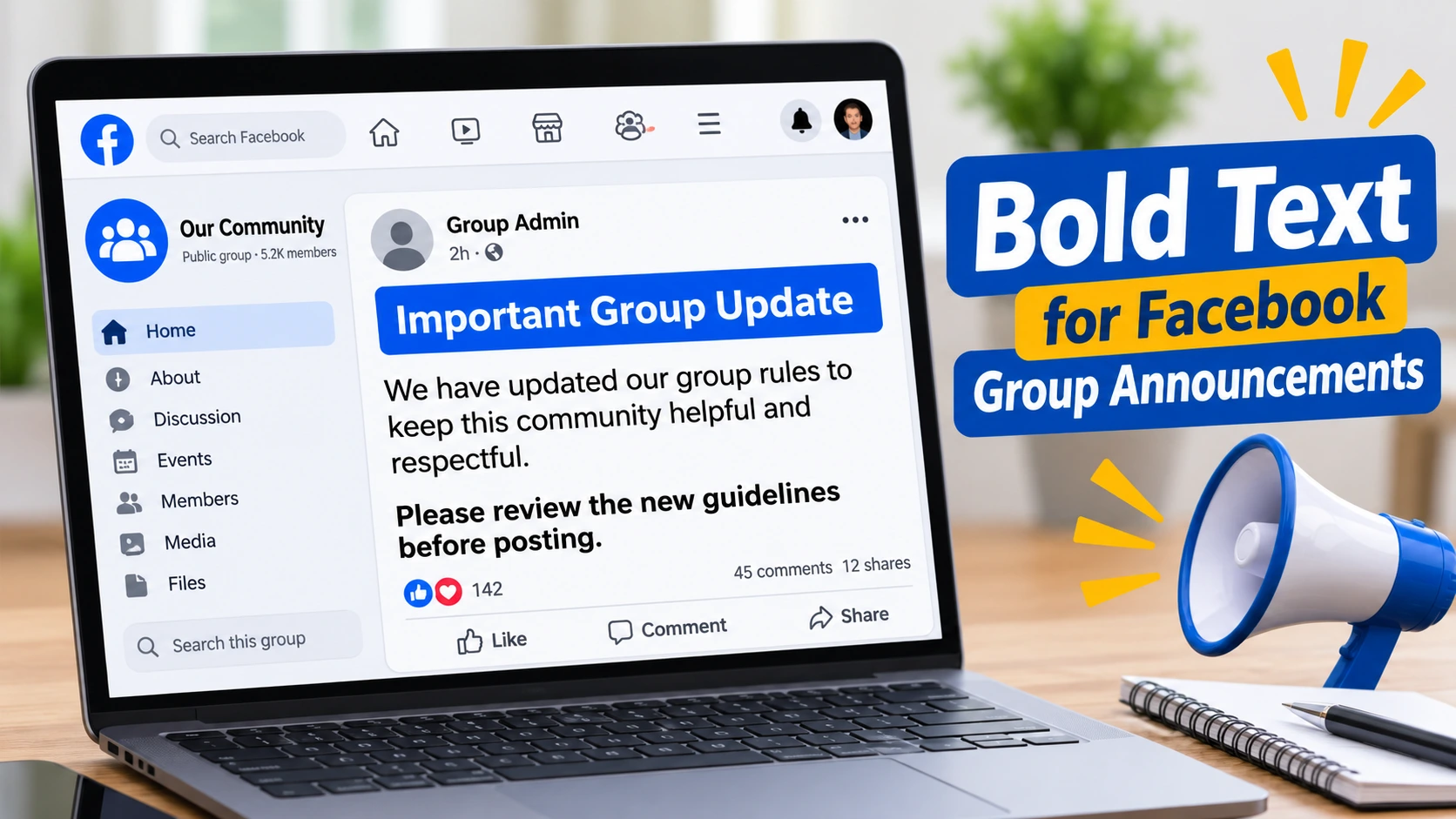
Important update: We have changed the rules for posting in this group. Please read the updated guidelines before sharing your next post.
Unicode bold text:
𝗜𝗠𝗣𝗢𝗥𝗧𝗔𝗡𝗧 𝗚𝗥𝗢𝗨𝗣 𝗨𝗣𝗗𝗔𝗧𝗘
We have changed the rules for posting in this group. Please read the updated guidelines before sharing your next post.
The second version gives the announcement a distinct heading while keeping the main information in ordinary text.
This approach is particularly useful for group rules, event announcements, deadline reminders, membership updates and promotional notices.
How to Make Bold Text for Facebook Group Announcements
You can create bold-looking text with a Unicode text generator. The generator converts standard letters into special characters that resemble bold lettering. You can then copy the result and paste it into your Facebook group post.
Follow these steps:
- Open the Wally Bold Text Generator.
- Enter the announcement heading or the words you want to emphasize.
- Select the bold text style.
- Copy the converted result.
- Open your Facebook group and create a new post.
- Paste the bold-looking heading into your announcement.
- Write the remaining information in normal text.
- Preview the post before publishing.
For example, if you are announcing a change to your group guidelines, you could convert the heading:
𝗨𝗣𝗗𝗔𝗧𝗘𝗗 𝗚𝗥𝗢𝗨𝗣 𝗥𝗨𝗟𝗘𝗦
Then write the new guidelines underneath in ordinary text.
You do not need to convert every sentence. A short, noticeable heading is usually enough to give the announcement structure.
Examples of Facebook Group Announcements Using Bold Text
The best way to understand this technique is to see how it works in everyday group situations.
1. Announcing New Group Rules
Group administrators regularly need to remind members about posting guidelines, prohibited content and expected behaviour.
A clear heading can make such a message easier to identify.
𝗜𝗠𝗣𝗢𝗥𝗧𝗔𝗡𝗧: 𝗨𝗣𝗗𝗔𝗧𝗘𝗗 𝗚𝗥𝗢𝗨𝗣 𝗥𝗨𝗟𝗘𝗦
Hello everyone,
We have updated our group guidelines to keep this community helpful and respectful. Please review the new rules before publishing your next post.
Thank you for helping us maintain a positive environment.
2. Promoting an Upcoming Event
If your group organizes meetings, online sessions, workshops or community activities, highlight the event name or registration deadline.
𝗨𝗣𝗖𝗢𝗠𝗜𝗡𝗚 𝗚𝗥𝗢𝗨𝗣 𝗘𝗩𝗘𝗡𝗧
Join us for our upcoming community discussion this Saturday.
Date: Saturday, 14 November
Time: 5:00 PM
Location: Online
Please leave a comment if you plan to participate.
3. Sharing an Important Deadline
Deadlines can easily get missed when they appear in the middle of a long message. A short highlighted heading helps bring attention to the date.
𝗥𝗘𝗚𝗜𝗦𝗧𝗥𝗔𝗧𝗜𝗢𝗡 𝗖𝗟𝗢𝗦𝗘𝗦 𝗧𝗢𝗠𝗢𝗥𝗥𝗢𝗪
If you want to participate in the upcoming activity, please complete your registration before the deadline.
4. Welcoming New Members
A welcome post is an opportunity to introduce new members to the group and explain how they can participate.
𝗪𝗘𝗟𝗖𝗢𝗠𝗘 𝗧𝗢 𝗢𝗨𝗥 𝗖𝗢𝗠𝗠𝗨𝗡𝗜𝗧𝗬!
We are happy to have you here. Introduce yourself, explore the discussions and feel free to ask questions. Please take a moment to read our group guidelines.
These examples show how a small amount of emphasis can make an announcement easier to scan without turning the entire message into decorative text.
Can You Use Bold Text in Pinned Facebook Group Announcements?
Yes. You can generally use Unicode bold characters in the text of a group post and then use Facebook’s available group-management options to feature or pin the post, where those options are available to you.
However, these are two different things.
- Bold-looking text changes the appearance of selected words using Unicode characters.
- Pinning or featuring a post uses Facebook’s group-management features to make a post more prominent or easier to find.
Using bold characters does not automatically pin an announcement or move it to the top of a group. If you are an administrator or moderator, check the available post-management options in your group.
Combining a clear heading with an appropriate pinned or featured post can make important information easier for members to locate.
Bold Text or Fancy Text: Which Should You Use?
Bold and decorative text serve different purposes.
Bold-looking characters are generally more suitable for important announcements because they make short headings noticeable without adding unnecessary decoration.
Fancy text, on the other hand, includes decorative lettering and other styles that can be useful for creative posts, greetings and informal messages.
If you want to experiment with different appearances, try the Wally Fancy Text Generator. Choose a style that suits the message rather than using decorative characters simply to make the post look different.
For group rules, event details and administrative updates, simple bold-looking text is usually the more practical choice.
Best Practices for Readable Facebook Group Announcements
Formatting can help organize an announcement, but it cannot replace clear writing. Keep these points in mind when preparing group updates.
Highlight only important words. Use bold characters for the announcement heading, event name or deadline. Avoid converting the entire message.
Keep paragraphs short. Break long announcements into smaller sections so members can find the information they need.
Put essential details in normal text. Dates, phone numbers, links and important instructions should remain readable as standard text.
Use clear headings. A heading such as “Updated Group Rules” tells readers more than a vague phrase such as “Important News.”
Check how characters display. Unicode support can vary between devices, operating systems and fonts. Preview your announcement before publishing.
Consider accessibility. Screen readers may interpret some stylized Unicode characters differently from ordinary letters. Use bold-looking text sparingly and keep the complete message understandable in standard text.
Improve Your Group’s Visual Communication
Text formatting is useful for simple announcements, but groups that regularly promote events, products, services or community activities can also benefit from consistent visual content.
Professional social media designing can help businesses and community organizations create more recognizable posts and promotional graphics. For larger announcements, event promotions and campaign messages, banner and poster design can provide a clear visual presentation.
If your group also supports a business or website, useful SEO article writing can help you publish informative content that answers your audience’s questions beyond social media.
Frequently Asked Questions
How do I make bold text in a Facebook group announcement?
Use a Unicode bold text generator to convert your heading or selected words. Copy the result and paste it into your Facebook group post before publishing.
Can I make an entire Facebook group announcement bold?
You can convert a longer passage into Unicode bold characters, but it is better to emphasize only the heading and a few important phrases. Long decorative passages can be difficult to read, particularly with assistive technology.
Can group administrators use bold text for group rules?
Yes. Administrators can use Unicode bold-looking characters in suitable text fields to emphasize headings such as “Group Rules” or “Posting Guidelines.” Keep the actual rules in ordinary text for readability.
Does bold text automatically pin a Facebook group announcement?
No. Unicode bold characters only change the appearance of text. Pinning or featuring a post is a separate Facebook group-management action.
Does Unicode bold text work on Android and iPhone?
Common Unicode bold characters generally display on modern Android and iPhone devices. However, appearance and character support can vary, so check your announcement on the devices your members commonly use.
Is a Facebook bold text generator free to use?
Many online bold text generators offer free conversion. You can use the Wally Bold Text Generator to convert ordinary text into bold-looking Unicode characters and copy the result into your Facebook announcement.
(Usman Javed is a content strategist at Wally Editing Service, where he leads the content and SEO division. He writes about website copy, SEO strategy, and content that actually works for the businesses reading it.)