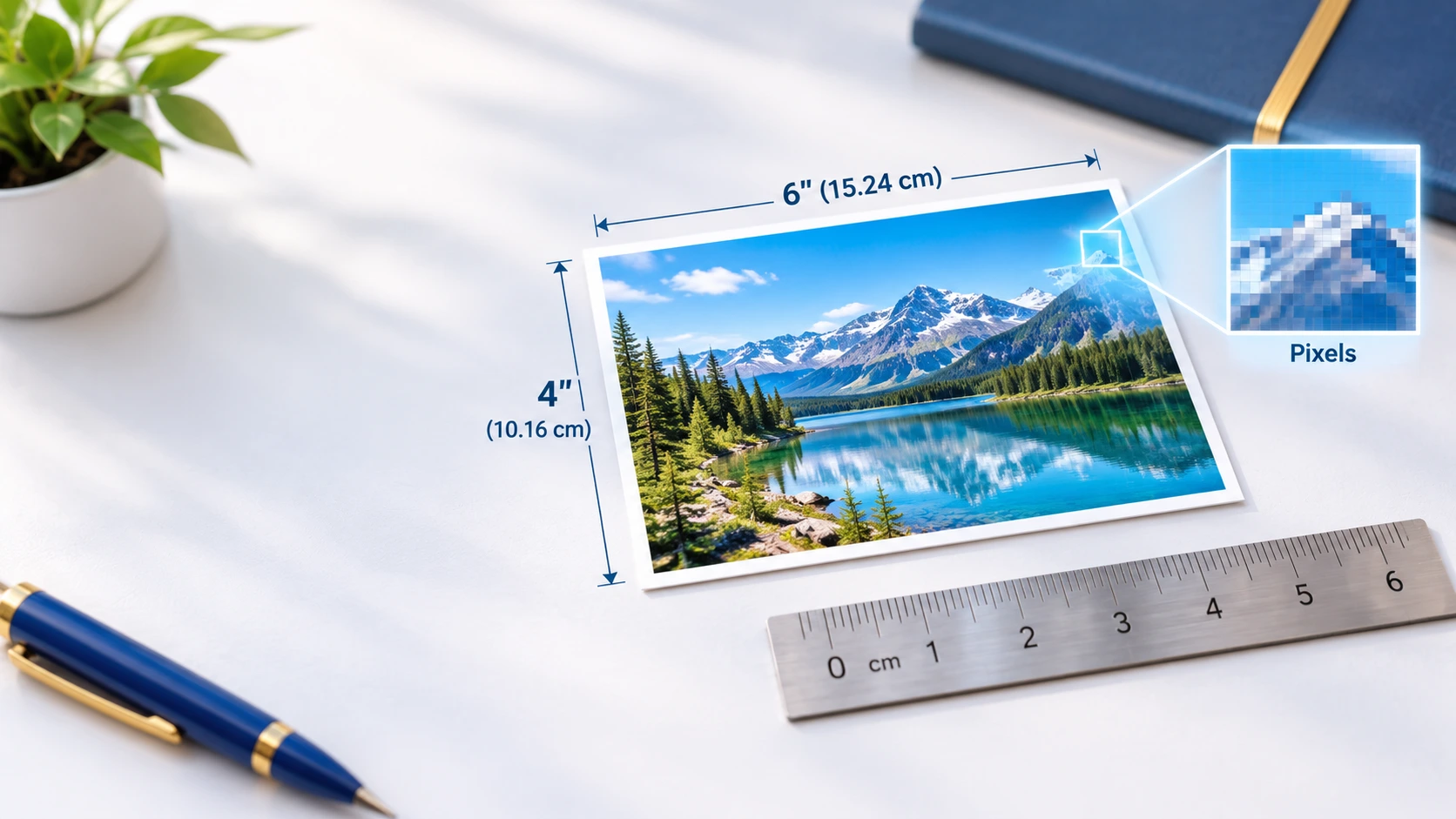
A 4×6 photo needs 1,200 x 1,800 pixels to print sharply at the standard 300 DPI. That’s the short answer, but the number shifts depending on the resolution a print lab expects and on how your image was shot. Below you’ll find the pixel size at every common resolution, a quick way to check your own file, and what to do when the image falls short.
The Quick Math Behind the Number
Pixels depend on resolution, and resolution is measured in DPI (or PPI). Multiply each side of the print by the DPI and you have your pixel size. For a 4×6 print at 300 DPI, that’s 4 × 300 = 1,200 and 6 × 300 = 1,800. The total comes to about 2.16 megapixels, which is tiny by today’s standards. Almost every modern phone camera clears it many times over.
You don’t have to do this by hand. The free Inches to Pixels Converter calculates any print size at any DPI instantly, and the Fancy Text Generator is handy if you’re adding a styled caption to the photo before printing.
4×6 Pixel Size at Different Resolutions
| Resolution | Pixels (4×6) | When it’s used |
|---|---|---|
| 96 PPI | 384 x 576 | Screens and web previews |
| 150 DPI | 600 x 900 | Bare minimum, may look soft |
| 300 DPI | 1,200 x 1,800 | Standard for photo labs |
| 600 DPI | 2,400 x 3,600 | Overkill for most 4×6 prints |
For landscape orientation, just flip the numbers: 1,800 x 1,200. Order matters when you’re setting up a canvas, so check which way the photo faces before you type anything in.
Why 300 DPI Is the Number Everyone Quotes
Printers lay down tiny dots of ink, and at 300 DPI those dots are packed closely enough that your eye can’t pick out individual ones at normal reading distance. Drop to 150 and you’ll often spot softness around edges, especially in faces and text. Go past 300 and the difference becomes very hard to see, so you’re mostly just making a bigger file.
A 4×6 is held in your hand, close to your eyes, which is exactly why it deserves the full 300. A big wall poster is viewed from across the room, so it can get away with less.
Does Your Photo Have Enough Pixels?
Check the image’s dimensions in your file properties. On Windows, right-click the file, choose Properties, then Details. On a Mac, open it in Preview and look under Tools, then Show Inspector. If the width and height are both at least 1,200 and 1,800 (in either order), you’re fine.
Most phone photos are far bigger. A typical 12-megapixel shot is around 4,000 x 3,000 pixels, which is roughly 667 DPI at 4×6 size. A photo saved from social media or a messaging app is a different story, because those apps shrink images heavily. If your file is under 1,000 pixels on the long side, expect a noticeably soft print.
The Aspect Ratio Catch
This trips up a lot of people. A 4×6 print has a 3:2 ratio, and most phones shoot in 4:3. When you order the print, the lab crops the extra bit off, usually from the top and bottom or the sides. If someone’s head is close to the frame edge, it can get clipped.
Crop the photo to 3:2 yourself before uploading, so you decide what stays in the frame instead of leaving it to the lab’s automatic crop.
What If the Photo Is Too Small?
Don’t enlarge it in an editor and hope for the best. Upscaling stretches existing pixels rather than adding detail, so the result usually looks smoother and blurrier, not sharper.
Better options: find the original file instead of the compressed copy, retake the shot at higher quality if you can, or print smaller. A 3×5 only needs 900 x 1,500 pixels, and a wallet-size print needs far less. Some AI upscaling tools can help in a pinch, but treat them as a patch rather than a fix.
A Note on Borders and Bleed
Some labs print 4×6 images with a small border or trim a few millimeters off the edges. If your lab asks for bleed, add about 0.125 inches to each side. A 4.25 x 6.25 inch canvas at 300 DPI becomes 1,275 x 1,875 pixels. Keep faces and important text a little inside the edges so nothing gets cut off.
Putting It to Use
Designers building postcards, photographers delivering prints, and anyone ordering holiday cards all run into this question. If you also work with other sizes, the same method works for every one of them: multiply inches by DPI and set up the canvas at that size from the start. For quick lookups across 5×7, 8×10, A4 and posters, see our guide on the dots per inch converter.
If the photo is part of a bigger design job, such as a flyer, invitation or card, our team can handle it. Take a look at flyer design, certificate design and social media designing. You can find the rest of the free tools, including the Bold Text Generator and WallyTik, on the homepage.
FAQs
How many pixels is a 4×6 photo at 300 DPI?
1,200 x 1,800 pixels (1,800 x 1,200 in landscape).
Is 600 x 900 enough for a 4×6 print?
It works out to 150 DPI. It will print, but fine detail may look soft. Aim for 1,200 x 1,800 if you can.
Why does my 4×6 print look cropped?
Phone photos are 4:3 and 4×6 prints are 3:2, so the lab trims the difference. Crop it yourself first.