A few months ago, I was reviewing a company handbook that was ready to be distributed to employees. Everyone involved believed the project was finished. The branding matched the company’s website, every section had been approved, and the document looked exactly as expected on the designer’s computer.
Then someone opened the PDF on a different device.
The table of contents is no longer linked to the correct pages. Two icons had disappeared completely. A carefully formatted table stretched onto the following page, and the digital signature field that worked perfectly during testing refused to respond in another PDF reader.
None of those problems existed in the original design file.
They appeared only after the document left the designer’s screen.
That experience stayed with me because it reflects a misunderstanding many businesses still have about digital documents. Creating a PDF is relatively easy today. Creating one that works reliably for every customer, employee, or stakeholder is something else entirely.
Over the past few years, document technology has changed dramatically. Artificial intelligence can recognise text inside scanned files, browser-based editors can merge or convert documents within seconds, and cloud platforms allow multiple people to collaborate on the same file without sitting in the same office.
Those developments have saved businesses countless hours.
But they’ve also created a new assumption—that because editing has become easier, every document produced by modern software is automatically ready for professional use.
In practice, that isn’t always true.
The difference usually becomes obvious only after a proposal reaches a client, a contract is signed electronically, or an application form is completed by hundreds of users.
That’s when small formatting problems stop being technical issues and start affecting how people perceive the organisation behind the document.
PDFs Have Changed, but Their Purpose Hasn’t
For a format that has existed for decades, the PDF continues to adapt surprisingly well to modern business.
While teams now collaborate through cloud-based applications and online workspaces, the final version of an important document is still very often shared as a PDF. Contracts, financial reports, technical manuals, company profiles, certificates, proposals, and policy documents all rely on one thing above everything else—consistency.
A properly prepared PDF looks the same whether it’s opened on Windows, macOS, Android, iOS, or viewed inside a browser. That consistency is the reason the format remains trusted by businesses, educational institutions, government organisations, and legal professionals around the world.
What has changed is the way PDFs are used.
A decade ago, most were little more than digital paper.
Today, they’re expected to do much more.
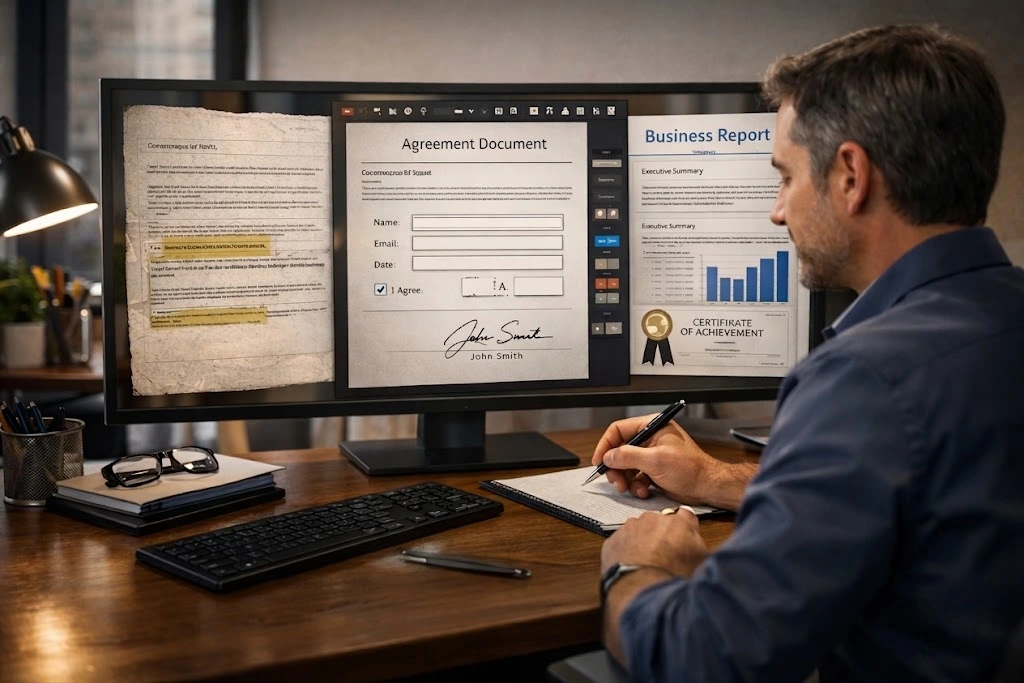
Job applicants complete interactive forms instead of printing applications. Customers sign agreements electronically. Employees access searchable training manuals from mobile devices. Businesses distribute annual reports containing clickable navigation, embedded links, and accessible layouts that work with screen readers.
The humble PDF has quietly become one of the foundations of digital business communication.
That evolution is one reason why document quality deserves far more attention than it often receives.
Where Free PDF Editors Reach Their Limits
Free PDF editors deserve a great deal of credit.
For everyday tasks, they’re genuinely useful.
If you need to combine a few invoices before sending them to a client, reduce a file size to fit within an email attachment, or convert a report into Word so someone can update a paragraph, there is a good chance a free editor will do exactly what you need.
Most people don’t require specialist software for jobs like these.
The challenge begins when a document moves beyond everyday administration and becomes part of a company’s public image.
Consider an investment proposal.
Or a compliance report.
Perhaps a product catalogue containing dozens of linked pages.
Or an employee handbook that new staff members will rely on throughout their first weeks at work.
These aren’t simply documents.
They’re representations of the organisation that produced them.
Readers rarely stop to think about margins, typography, broken hyperlinks, or inconsistent spacing.
They simply notice when something feels unprofessional.
It’s a little like visiting a beautifully designed office with flickering lights and loose ceiling panels. Nobody walks away talking about the lighting, but it quietly shapes their opinion of the business.
Documents work in much the same way.
The strongest ones don’t draw attention to their formatting.
They allow readers to focus entirely on the information.
That’s one reason many organisations eventually move beyond browser-based editors. As document requirements become more complex—whether they’re creating interactive forms, restoring archived files, or preparing reports for professional publication—they often discover that working with a professional PDF editing service provides a level of consistency that’s difficult to achieve through automated tools alone.
Interestingly, businesses rarely make that decision because they want a “better-looking PDF.”
They make it because they want fewer surprises after the document has already been shared.
Small Details Shape Big Impressions
One of the most overlooked parts of document preparation is the fact that readers judge quality long before they consciously evaluate content.
A report with inconsistent fonts immediately feels less trustworthy.
A proposal containing blurry images suggests a lack of attention to detail.
A fillable form that doesn’t work on a customer’s device creates frustration before a single question has been answered.
None of those issues necessarily change the information itself.
They change the experience of reading it.
That’s an important distinction.
Good document editing isn’t about making a PDF look impressive.
It’s about removing distractions that prevent people from engaging with the information.
Sometimes that means rebuilding tables that shifted during conversion.
Sometimes it involves correcting typography that becomes inconsistent after several rounds of editing.
Other times, it’s as simple as checking that hyperlinks still point to the right destination after pages have been reorganised.
Individually, these tasks seem small.
Collectively, they influence whether a document feels carefully prepared or hastily assembled.
That difference matters far more than many organisations realise.
Scanned PDFs Need More Than OCR
One misconception I come across regularly is the belief that OCR (Optical Character Recognition) solves every problem associated with scanned documents.
It certainly solves one important problem—it makes text searchable and editable.
But that’s only the beginning.
Anyone who has worked with archived business records knows that OCR isn’t perfect. It may confuse the letter “O” with the number “0”, misread dates, split words across lines, or completely ignore information contained inside tables or stamps. Even when the text is recognised correctly, the document itself can lose its original structure during conversion.
That matters when the file is more than just a record.
Think about employee certificates, training documents, historical contracts, engineering drawings, or signed agreements that need to be updated without changing their original appearance. In situations like these, restoring the layout is often just as important as correcting the text.
I’ve seen businesses spend hours fixing information that OCR extracted correctly while overlooking formatting issues that immediately stood out to clients. A misaligned company logo, inconsistent spacing, or a broken table can quietly undermine confidence in an otherwise accurate document.
The same principle applies to certificates.
Whether a company is updating training records, restoring scanned documents, or correcting genuine formatting issues, careful certificate editing helps preserve the document’s original appearance while ensuring the information remains clear, accurate, and professionally presented.
The process isn’t about redesigning a certificate from scratch. It’s about respecting the integrity of the original document while making it suitable for today’s digital workflows.
Image preparation deserves similar attention. Documents built from JPG or PNG files often look perfectly acceptable on screen but reveal blurred graphics or uneven alignment when printed or shared in high resolution. Spending a little extra time preparing images before converting them into PDFs usually produces a noticeably better result.
The Last Five Minutes Often Matter Most
One habit separates well-prepared business documents from average ones.
Someone reviews the final PDF before it leaves the office.
Not the Word file.
Not the InDesign layout.
Not the editable version stored in the cloud.
The PDF itself.
That final review catches problems that are surprisingly easy to miss earlier in the process. A heading may have shifted onto the wrong page. A hyperlink might point to an outdated website. A page number could disappear after exporting. Interactive fields that worked during testing may behave differently in another PDF reader.
This is where PDF proofreading earns its value.
Good proofreading isn’t limited to correcting grammar or punctuation. It involves reading the document exactly as the recipient will experience it. That means checking formatting, navigation, typography, page order, consistency, accessibility, and visual balance alongside the written content.
I’ve found that clients rarely remember a document because every comma was perfect.
They remember whether it felt polished.
That’s a subtle but important difference.
Preparing Documents for the Way Business Is Changing
The conversation around AI often focuses on what software will replace.
A more interesting question is what software will improve.
Document management is a good example.
Artificial intelligence is already reducing repetitive work by organising files, recognising text, translating content, and helping teams locate information more quickly. Those capabilities will continue improving over the next few years, especially as document workflows become more integrated with CRM platforms, cloud collaboration tools, and digital approval systems.
At the same time, expectations are changing.
Businesses are being asked to produce documents that are secure, accessible, mobile-friendly, and easy to navigate regardless of who opens them or where they’re located.
That’s one reason internationally recognised standards such as ISO 32000, along with accessibility guidance from Adobe and the W3C Web Accessibility Initiative (WAI), continue to influence how professional PDFs are created. They provide practical frameworks for building documents that remain reliable across different devices and assistive technologies.
Technology will almost certainly continue automating repetitive editing tasks.
Judgement is another matter.
Software can suggest corrections.
It cannot always decide whether a report reads naturally, whether a proposal reflects a company’s brand, or whether a customer will understand a form without additional explanation.
Those decisions still depend on people.
And they probably will for quite some time.
A Few Habits Worth Keeping
After reviewing hundreds of business documents, I’ve noticed that the strongest ones rarely rely on complicated techniques. They simply follow a few consistent habits.
They begin with organised source files instead of patching together multiple versions at the last minute.
They keep fonts, colours, and branding consistent rather than introducing unnecessary variations.
They test interactive forms before sending them to customers instead of assuming every PDF reader behaves the same way.
Most importantly, they treat the exported PDF as a new document that deserves its own review.
That extra five or ten minutes often prevents hours of corrections later.
Final Thoughts
Free PDF editors have made document editing more accessible than ever, and for many everyday tasks they are exactly the right solution.
The challenge isn’t deciding whether free tools are good or bad.
It’s recognising where their strengths end.
When a document influences business decisions, represents your organisation, or becomes part of an important customer experience, presentation and accuracy carry real weight. A well-prepared PDF doesn’t attract attention because of clever design or advanced features. It succeeds because nothing distracts the reader from the information it contains.
That’s ultimately where professional editing adds value.
Not by replacing modern software, but by adding the judgement, attention to detail, and quality control that technology alone cannot consistently provide.
As document workflows continue evolving alongside AI, businesses that combine efficient tools with thoughtful human review will be in the strongest position to communicate clearly, build trust, and create documents that continue working long after they’ve been shared.
Frequently Asked Questions
1. Is a free PDF editor enough for business documents?
For routine tasks such as merging files, compressing documents, or making simple text changes, free PDF editors are often sufficient. Documents intended for clients, legal use, or public distribution usually benefit from professional review to ensure formatting, accessibility, and consistency.
2. What is the difference between PDF editing and PDF proofreading?
PDF editing focuses on improving the document itself, while PDF proofreading checks the final published version for grammar, formatting, page layout, hyperlinks, and overall accuracy before it is shared.
3. Can scanned PDFs be edited without recreating the document?
Yes. OCR technology converts scanned text into editable content, while manual editing helps preserve layouts, graphics, tables, and formatting that automated software may not reproduce accurately.
4. Why are interactive PDF forms becoming more common?
Businesses increasingly use fillable PDF forms because they simplify applications, registrations, approvals, and internal workflows while reducing manual paperwork and data entry.
5. Why do businesses still invest in professional PDF editing?
Professional editing provides an additional layer of quality control, helping ensure important documents remain accurate, visually consistent, accessible, and ready for both digital distribution and print.
Usman Javed is a Content Strategist at Wally Editing Service, where he writes about document management, professional editing, digital communication, and SEO content. Drawing on practical experience with business documents and publishing workflows, he helps organisations create content and digital assets that are accurate, accessible, and built to earn trust.